Showing posts with label DVD. Show all posts

5 Free Blu-Ray Burners

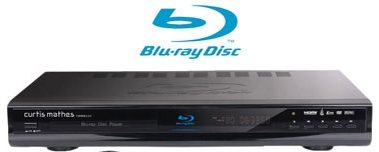
Here are 5 free Blu-ray burners that let you burn Blu-Ray discs on PC. All these Blu-Ray burners are completely free.
FinalBurner

FinalBurner creates data CDs and DVDs including discs for Blu-ray devices that too for free of cost and freely distributable. This inexpensive application is available free of cost in the web site and you can download the free copy for free and launch the software in your desktop. The free Blu-ray burner is light weight at about 4MB and does not occupy much of your disk space.

The free ware application enables you to create data, audio, DVD disks and burn them onto any type of media, such as CD R/RW, DVD+R/RW, DVD-R/RW, DVD DL. You can also create an ISO image of a disc. The application is short and simple program as it does not supports any extraneous features that users might not understand and unusable to them. Thus, you can create your disc within few mouse clicks, as you are not required to do anything more than just click your mouse buttons.

For the advanced and power users, the application developer has rest some of the settings control for them so that you can make full use of the application and create desired high quality output on the fly. To use this application you just have to choose the project type (audio, video, etc.) you re working on and depending on the project type, you click on the appropriate tab and open its window, where the project is displayed as a folder tree. Then, using the built-in explorer, you add a file or several files to the project, select the drive, writing speed, and start the burning process.

Download FinalBurner here.

CDBurner XP

CDBurnerXP is free software that burns CDs and DVDs for Blu-ray devices and HD DVDs. The freeware is easy to operate and easily write CDs, DVDs, and Blu-ray discs for all home users. You can make quick copy of your Blu-ray discs with this app. The app is  so useful that even companies and other people using Blu-Ray disc can use this app and make quick copies of your movies and data.

The attraction of this app is its ISO creation feature. It burns ISO to CDs, so that you can share them among your group or use the disk for storage.

Some of the ISO features are:
  • create your own ISO files
  • convert bin- and nrg-files to ISO
  • save CDs/DVDs as ISO file to disc

This free Blu-Ray burner is designed for burning any kind of discs whether its audio CDs/ DVDs or data disc. Create audio CDs with or without gaps between tracks. The freeware also allows you to create bootable disc with easy operation. This feature rich Blu-Ray burner is available free of cost, and you can avail the functions like multi-language interface, data verification after burning process, bin/nrg → ISO converter and much more.

Download CDBurner XP here.

Hamster Free Burning Studio

Hamster Free Burning Studio is free burning studio for all home users that would like to burn and create back up of their favorite music, images and videos to their Blu-ray disc. Hamster Free Burning Studio automatically identifies the type of disk inserted in the tray, its capacity, and possible burning speed onto the disk, and uses this information to display the fill factor of the files on the disk and the possibility of clearing the disk for its full rewriting.

Thus, this application is completely automatic and you are not required to possess any special knowledge about disc recording and burning Blu-ray CDs. The intuitive and modern looks of the application interface will make your burning experience little easier as you just to drop your files to the app and the program code will do the rest.

Download Hamster Free Burning Studio here.

Imgburn

Imgburn is another Blu-Ray burning freeware that easily burns images, audio and videos to your Blu-Ray disc for free and that too within less time. The app is intuitive and very simple to use. You just have to load this Blu-Ray burner in your desktop and switch on to write mode. The app will recognize the disc in the burner loaded by you and will write your data in the disc when you click write button. The freeware has easy to use interface and very user-friendly features.

The main screen of the app is Ez- mode picker, that allows you to pick your burning type right from the screen without any need to search for button to click for. Create any kind of image file from the disc or files and folders easily with this application. Your Blu-Ray discs can be read and written by this app quickly. The app interface will also provide you all the info about the burning operation and disc info that you may need in read mode. If you want any media info about particular track or sector than its easily available from this app.

The application is designed to write multiple files in the disc and you can create a queue for writing. The batch burning is very easy with this freeware, as it will not slow down your computer and will notify you as of number of images remaining and number of copies done.

Download ImgBurn here.

BurnAware

BurnAware is free burning tool available in the internet. The feature rich application is full-fledged tool set that will help you to burn any kind to CDs and DVDs including very recent Blu-Ray discs. The app is light weight and requires to be loaded in your PC desktop for launching this freeware. The application will help you burn any kind of data to your Blu-Ray discs including images, digital photos, audios, and videos. You can create your data disc within few minutes with this application.

You can also create bootable or multi-session CDs and DVDs, high-quality audio CDs from your collection of MP3, WAV, WMA, OGG, M4A, AAC and FLAC files, burn disc images, copy discs to backup ISO images with this free program. Create back up of your favorite music or video clips with this application by writing discs with this freeware. It supports CD-R/RW, DVD-R/RW, DVD+R/RW, BD-R/RE and DVD-RAM media, including high-capacity double-layer media.

This easy to use application is very easy to handle as you just have launch this app on your desktop and write data on your disc. It supports feature of On-the-fly writing support with Track-at-once and Disc-at-once recording modes. In addition, copy disc to ISO images with this freeware application.

Download BurnAware here.
Continue Reading

VLC Alternative Media Players for Windows PC

VLC Media Player is surely one of the best media player and probably the most famous media player. These media players provide many features that you find in VLC, such as: play HD videos, create playlist, use equalizer, online videos, load subtitles, stream radio etc. Most of these media players have other interesting and unique features as well. For example, you can record Internet radio, trim and convert videos, apply beautiful skins, create bookmarks, use transparent interface, and more. However, there are many good alternatives to VLC media player that I have listed here. 
Lets have a look at these free VLC alternative media players.

ALLPlayer is also a fantastic media player and a good alternative to VLC. You can adjust video aspect ratio and can also flip and rotate video. Feature to fetch subtitles for a movie is also available that works very well. One more interesting feature that I found in this player is that you can create bookmarks (known as Chapters) for any playing video. This is really handy when you want to store favorite moments of a movie.

Other than these features, you can play online videos, radio stations, use equalizer, watch TV shows, and adjust various settings.

Another good VLC alternative in this list is ‘Wondershare Player’. It comes with a very beautiful interface and supports 600+ media formats, which is fabulous. You can also activate its Mini Mode that is useful when you are listening to audio tracks. Other than that, it comes with feature to generate thumbnails of a video, switch to stereo and 5.1 surround channel, and bookmark online videos (need a free account) for later use. So, it has all the necessary features that makes it a handy media player and useful replacement for VLC.

KMPlayer has a lot of features that makes it a better VLC alternative. I personally liked its feature to make its main window transparent. Other than that, you have the options to add bookmarks, capture screenshots, change skin, adjust brightness, contrast, and more. It also comes with different video effects that you won’t find in any other VLC alternative in this list.

All its main features can be accessed by right-clicking on its interface and rest of the playback controls are directly accessible on its interface.

SMPlayer comes with multiple advanced features and good interface. You can find subtitles at OpenSubtitles.org right from its interface, apply audio video filters, flip and rotate video, switch to a particular stereo mode, etc. It can also help to stream YouTube videos, but you need to install plugin.

Apart from this, SMPlayer comes with built-in codecs. So you won’t find any trouble to play media files. It also supports multiple skins and available in 30+ languages.

RealPlayer Cloud media player is a strong VLC alternative that provides 2 GB free online storage. Apart from playing your PC media files, you can also stream online videos directly from its interface. Features to upload videos to your free account and download a particular video are also available that makes it unique as compared to other media players available in this list.

Other great features provided by this player are: separate section to access PC and cloud videos, trim a video, convert a video, record online videos, watch Facebook videos, etc. So, it is a fantastic media player that is useful for online and offline video playing, but requires a good configured PC.

Light Alloy media player also comes with various features that should be present in a VLC alternative. However, the most important feature that I found is ‘record Internet radio’. It automatically fetches list of radio stations and you can add them to favorites. After that, you can listen to any radio station and record it, whenever needed. Another great feature that comes with this media player is that you can bookmark position of any playing song and resume that song from that position later on.

This software also provides a scheduler feature that is handy to automatically turn off PC, display, hibernate, set an alarm, etc. Apart from this, you will find all the basic options to play and handle media files. It is available with installer and portable version.

Another great VLC alternative media player is ‘QQPlayer‘. It might not be a very popular software, but it is a strong competitor in this list. Three main and unique features are available in this media player. You will be able to generate animated GIF (10 seconds) from playing video, split and join audio files, and convert a 2D video to 3D.

QQPlayer also comes with dozens of other important features. For example, you can capture snapshots, compress video files to save disk space, use beautiful skins, amplify volume, use equalizer, and many other features that you find in VLC player. Although podcast and desktop recording feature is not available, but rest of the features are brilliant.

MPC-HC (Media Player Classic Home Cinema) is one of the famous media player that can be a good VLC alternative for you. You will find a ‘Renderer Settings’ option that will help to manage colors, presentation of video, output color range, VSync settings, etc.

Another valuable feature of this media player is that it is very lightweight and supports 37 languages. So if you want a media player that consumes less system resources and memory, then this is a good VLC alternative for you.

Its simple interface comes with many features that must be available in a good media player. It can automatically create thumbnails (as a single image) from playing video or you can manually take screenshots. You can also find and download subtitles. Video rotation feature is also available to set the orientation of a video.
Continue Reading

Free Online Video Editor: VideoToolBox

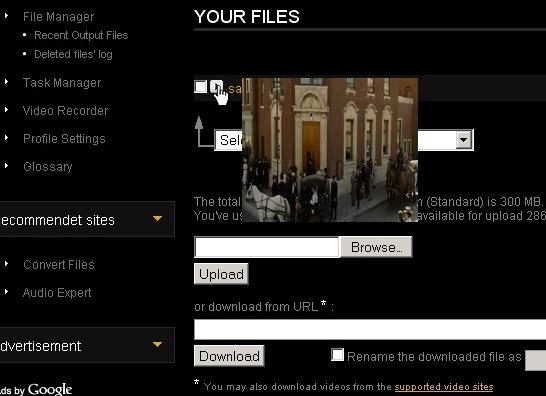
VideoToolBox is free online video editing software that helps you to edit videos and convert them to different formats online. You can use this free advanced online video editor to process video files and convert them into other formats. In a world run by Youtube and video sharing programs you need software that will allow you to edit all different types of video format. You can also organize all your videos with this software. One of the best features of this free online video editor is that it has a file manager built in. This way you can upload lots of videos as well as download them. You will be able to find them quickly.

To use VideoToolBox you just need to go to the website and fill out the registration. You will then be able to use this free advanced online video editor to edit videos by adding subtitles, audio, or splitting. You can also crop videos, add watermarks, and even merge videos together. You can organize your videos and easily find them by thumbnail images. If you are saving hundreds of files, then this is a real time saver.

Features of VideoToolBox:

  • Analysis of Files: After you download a video or upload one to the program it will analyze the file. This analysis will give you the bit and frame rate, codec, and resolution of the file. Once you have knowledge of the type of video you are dealing with then you can make the changes you need to adapt it to your programs and where you would like to post it.
  • Variety of Converting Choices: Converting videos is important depending on where you want to post them or who you want to send them to. You will be able to convert any file to AMV, FLV, MOV, M4V, and many other popular formats. You can use this software to make your files compatible with certain programs online such as Facebook and share them with your friends.
  • Adjustable: You can adjust different qualities of the files you are uploading and downloading. You can use advanced mode and set the codecs for the video and audio, the resolution, the bit rate, the sample rate, and channels. It is a good feeling to be able to edit your own files, and not having to pay someone else to do it.
  • Merging and Editing: This program will allow you to merge together more than one file to create a single track with several videos. The program will allow you to crop, dub over, and edit your films the way you see fit. You can add a watermark into your video which is helpful when you want to flash a website or some information during a video.
Try VideoToolBox free online video editor.

Continue Reading

Free CD/DVD Burning Tool: CBurner

CBurner is a light-weight, portable free CD/DVD burning tool that can provide you high quality and hassle-free burning experience. It comes with a user-friendly interface so almost every PC user can burn a DVD or CD with this free CD/DVD burner. The next version of this freeware will help you to explore UDF and ISO images and extract files from those images. It will also show device and disc information.

This free CD/DVD burning tool can copy DATA CD, Audio CD and DVD. It can only copy unprotected video DVD’s. You can also copy CD to DVD and DVD to CD. You can copy a DVD to CD only if the source size is not bigger than CD capacity. It can verify audio CD and copy it accordingly. You will be able to see the real burning speed as it shows the speed at burning and verifying. You can also format or erase any CD-RW, DVD+RW and DVD-RW with this free DVD burning tool.
This free DVD burning tool is light-weight and portable so it doesn’t require any installation. You can execute this software from your hard disk, CD or pen drive. It’s currently in alpha stage and you will get an option to make a guided installation in the following versions of this free DVD burning tool. Although this free DVD burning tool is in alpha stage, it comes with various features. It uses very little system resources so you can run this software with other software without putting much pressure on your PC. The portable version of CBurner is ready to download at its official website. It comes with a user’s manual so even a novice user can try this software without facing any problem.

Features of CBurner:

  • Disc Copy: You can copy Audio CD, Data CD, DVD, Video and data (note protected) with this freeware. You can also copy Data CD to Data DVD directly without transferring the files anywhere. You can also copy Data DVD to Data CD if the file size is equal than CD capactity.
  • See Detail Burning Process: This freeware can show the real burning speed, reading speed at verifying, state of burner cache and memory cache and the progress of burning. So, whenever you are burning a DVD or CD, you will be able to see the detail burning process.
 Source: I♥FreeSoftware
Continue Reading

FREE Download 4Media DVD Ripper Ultimate

4Media DVD Ripper is a powerful program that can rip any kind of DVD to video or audio formats with excellent quality. The program is capable of extracting pictures, videos of selected length and audios from DVDs. It is very easy to use and comes with preset format options that allow users to rip and transfer complete DVDs for portable players or multimedia devices. Furthermore, professional users can also set their own output parameters with advanced profile settings.
Key Features:
  • Convert DVDs to Any Video Format.
  • Rip DVDs to Any Audio Format.
  • Rip DVDs for Multimedia Devices.
  • Directly Transfers DVDs to Devices.
  • High Speed DVD Ripping.
  • Supported OS: Windows 7, Vista and XP (SP2)
As a special promotional offer, 4media Software Studio is currently giving away free full version copies of 4Media DVD Ripper Ultimate. The giveaway is exclusively available to their Facebook fans.
To grab this offer :
  • Visit the 4Media Facebook page.
  • Click on the “Like” button to become their fan.
  • Enter your email address and click on the “Submit” button.
  • Instantly, you will receive an email from sales@mp4converter.net with your license key and download link. Alternatively, you can use the following direct link to download.
Source: Buzz 99
Continue Reading